Change Colors of Image Instantly with AI Prompts

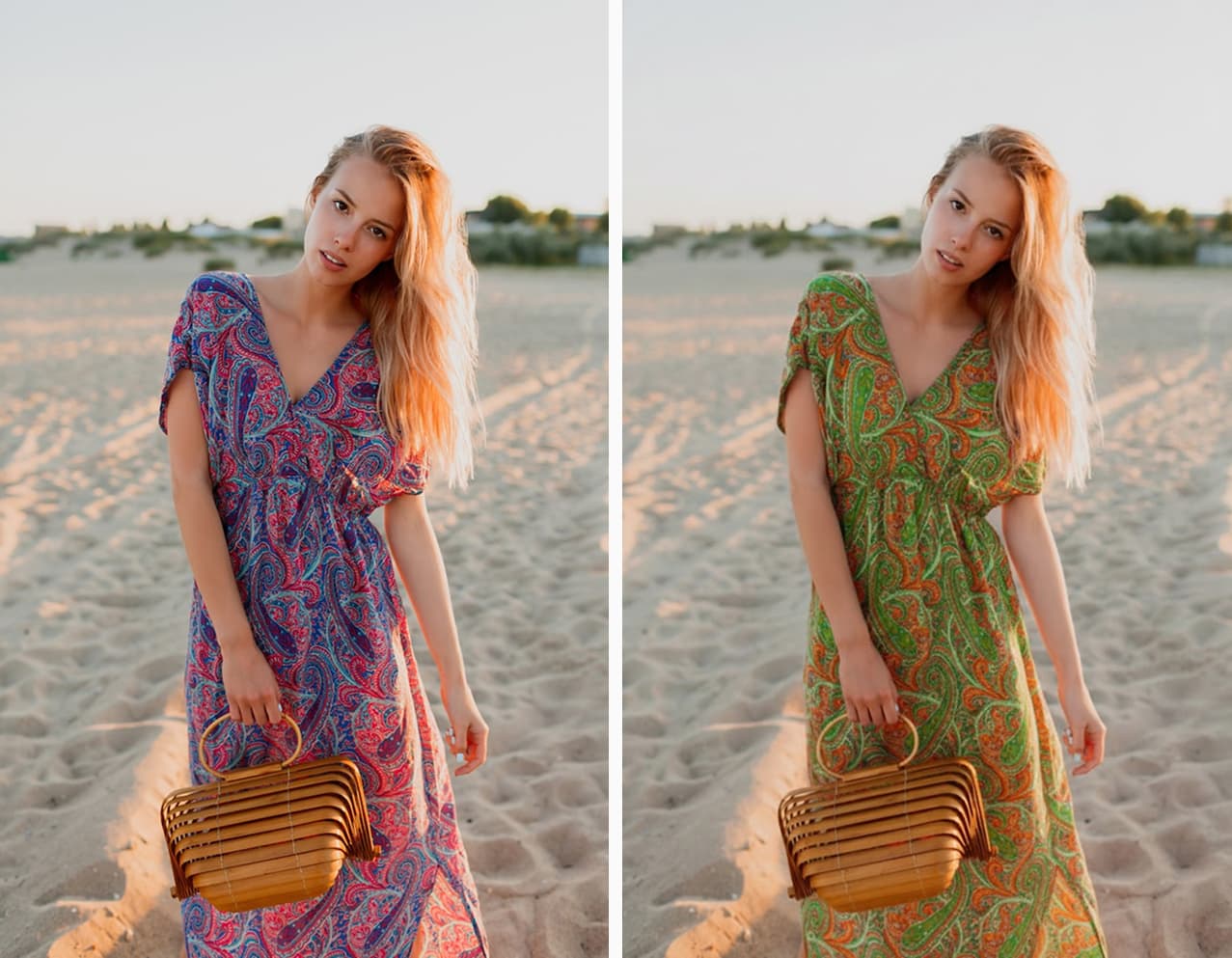
Stop using complicated masking tools. Simply describe the new look, and our AI will change colors of image elements—from products to room walls—while preserving perfect lighting and realistic textures.

Change Colors of Image Instantly with AI Prompts

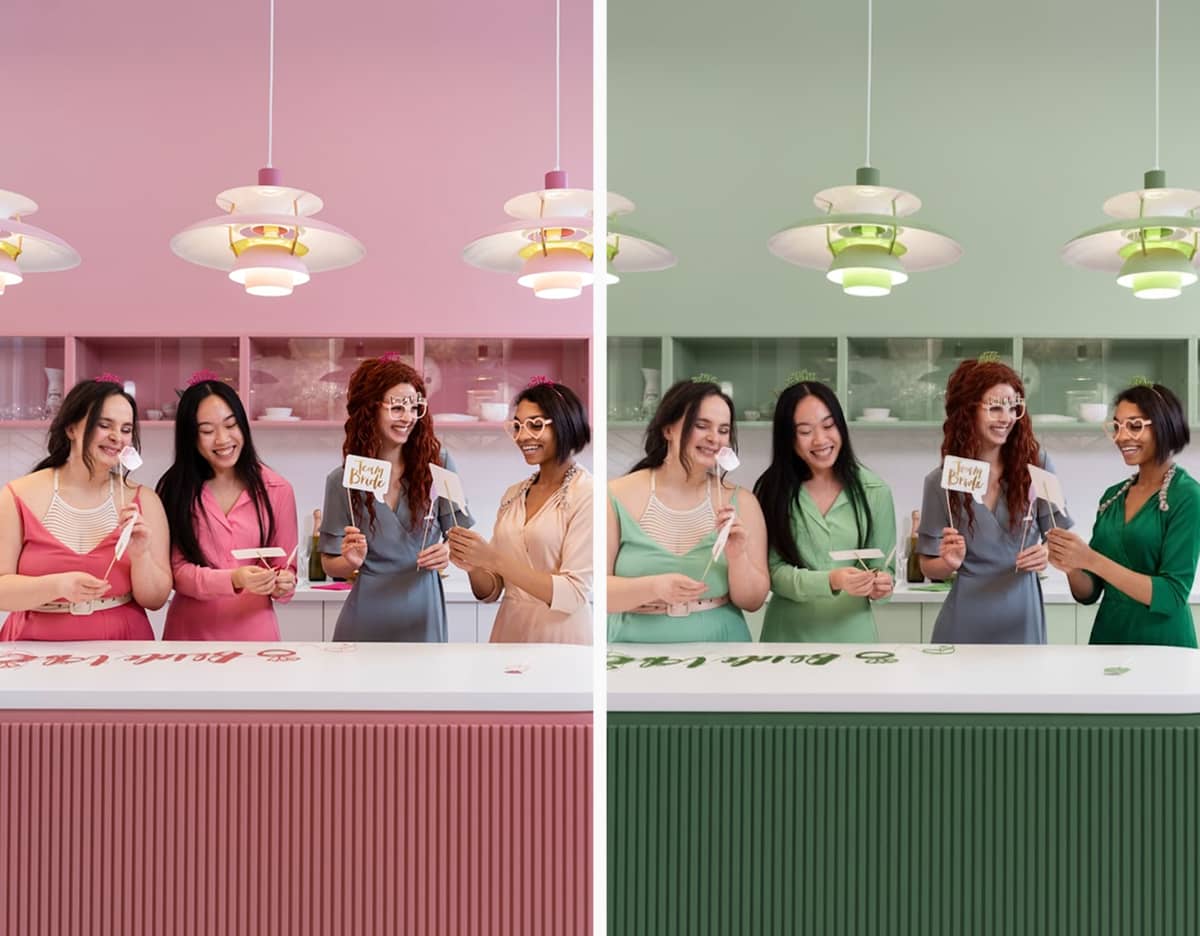
Prompt: "Change all pink elements throughout the entire scene to green, including the walls, furniture, clothing, and all pink decorations, while everything else remains unchanged."

What Can You Do with Our AI Color Changer

Explore how our AI helps various industries save time and visualize concepts.

Sneakers changed to pink for e-commerce variant
Prompt: "Change sneaker color to pastel pink leather"

E-commerce Product Variants

Sellers often photograph just one sample. Our AI creates multiple color SKUs (like red, yellow, or blue T-shirts) from that single photo, saving you the massive cost and time of re-shooting every variation.

Create Similar
Living room wall painted blue via AI
Prompt: "Recolor the wall to light pastel blue"

Interior Design Visualization

Visualize the outcome before buying paint. Upload a room photo to see how a 'Morandi Blue' wall or a 'Beige Sofa' fits your home, helping you avoid costly renovation mistakes.

Create Similar
Dress color changed for fashion design
Prompt: "Swap the red dress for a navy blue silk dress"

Fashion Design & Try-On

Designers can test color schemes instantly. Users can virtually 'try on' different dress colors to see which suits their skin tone best without visiting a store.

Create Similar
Car wrap visualization in matte black
Prompt: "Change car color to matte indigo"

Car Wrapping Preview

Vehicle wraps are expensive. Use AI to preview exactly how your car would look in 'Matte Black' or 'Tiffany Blue' before committing, ensuring you pick the perfect paint job.

Create Similar
Marketing assets adapted to brand colors
Prompt: "Change the background color to dark purple"

Branding Consistency

Marketing teams can adapt stock photos to match brand guidelines. Quickly change the color of props or backgrounds to ensure every visual asset aligns perfectly with your brand identity.

Create Similar
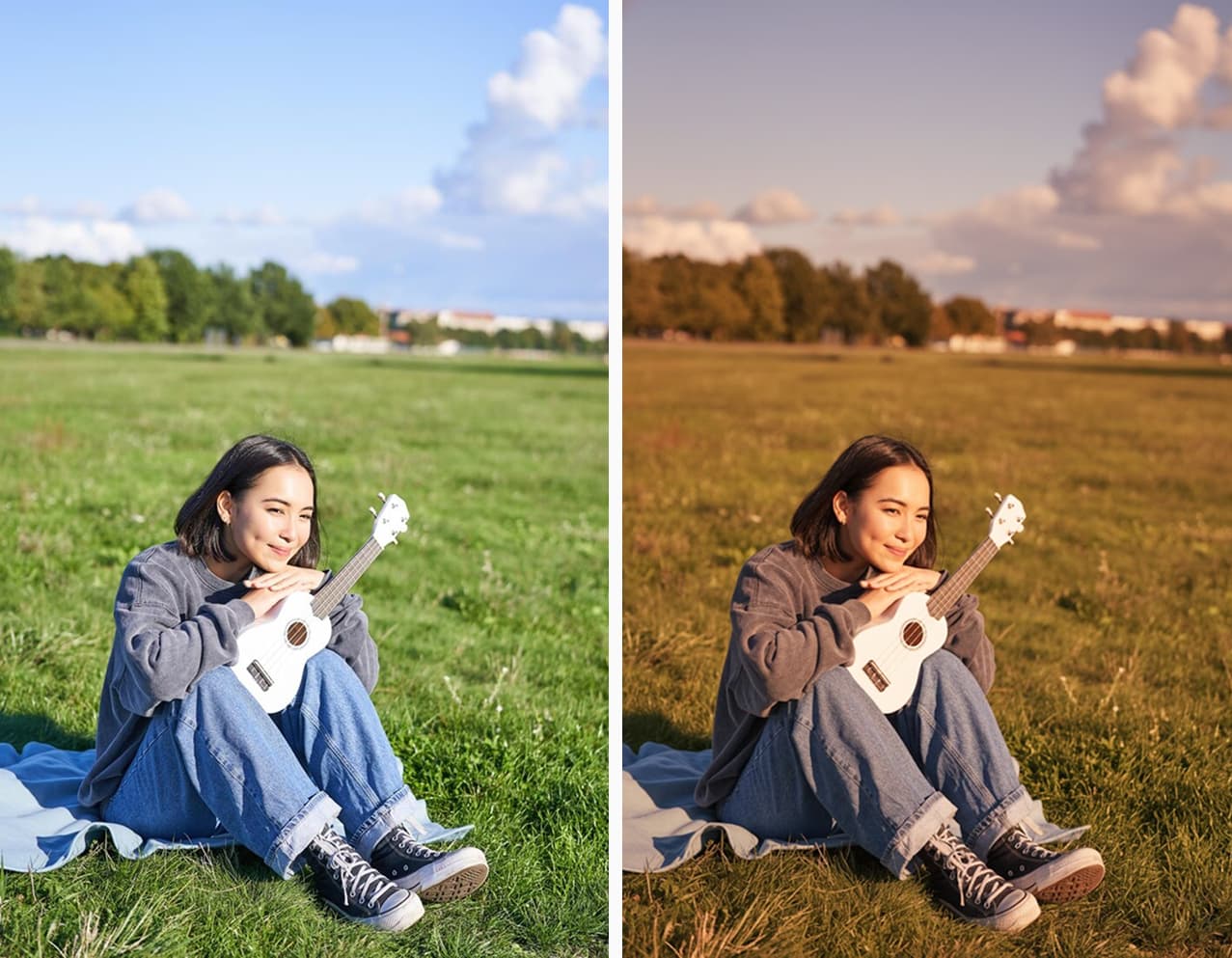
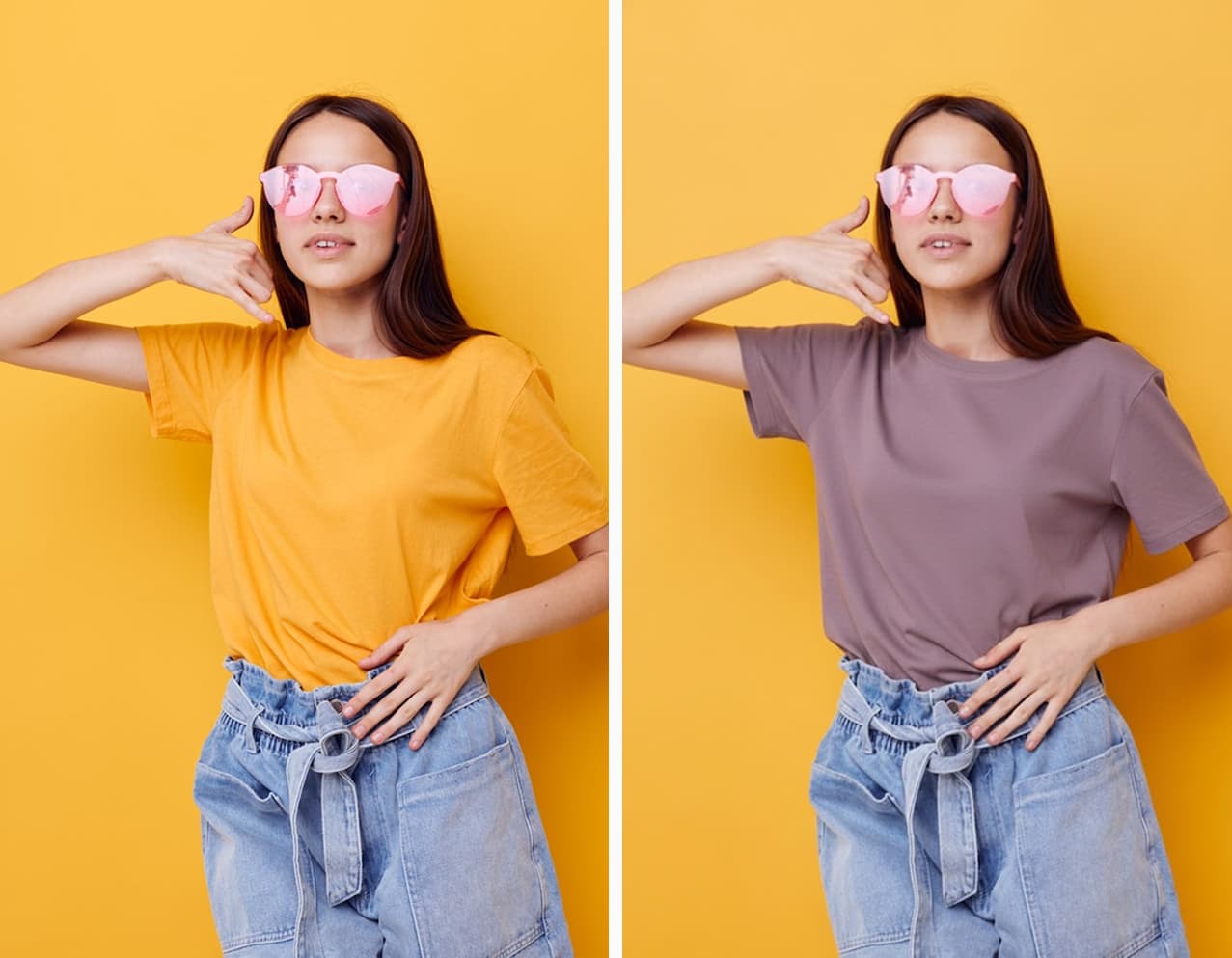
Surreal artistic color change of sky
Prompt: "Replace the current light with low-sun twilight"

Creative Art & Photography

For artists seeking visual impact, AI allows you to create surreal effects or simply adjust the mood of a photo by tweaking the color palette of specific elements.

Create Similar

What is the AI Image Color Changer?

A sophisticated generative AI solution designed to change colors of image content with semantic understanding.

The Change Colors of Image tool by Image2image.ai represents a significant leap forward in digital image processing. Unlike traditional photo editing software that merely applies a flat color overlay or adjusts hue sliders, our technology utilizes advanced Generative Adversarial Networks (GANs). This deep learning model understands the semantic structure, 3D geometry, and lighting conditions of your specific image.

When you issue a text command to change colors of image elements, the AI does not simply paint over the pixels. Instead, it regenerates the selected area entirely. It analyzes the context to ensure that the new color interacts realistically with the environment. This means intricate details—such as the texture of fabric, the reflection on a metal surface, or the shadows cast by a light source—are either preserved or synthesized to match the physical properties of the new color.

This capability allows for unprecedented realism and consistency. Whether you are an e-commerce merchant needing to create accurate product variants or a designer visualizing complex interior concepts, this tool provides a seamless transformation. It eliminates the need for manual path clipping or layer blending, allowing you to change colors of image assets professionally in seconds.

Turn Ideas into Reality Instantly

Stop guessing. Use Generative AI to change colors of image elements in seconds with a single text prompt.

Start Recoloring Now

Advanced Features to Change Colors of Image

Beyond simple hue shifts, we offer deep control over your image's appearance.

Text-Guided Editing

Text-Guided Editing

No need for hex codes. Just type 'Pastel Pink' or 'Midnight Blue', and the AI interprets your natural language to apply the exact shade you envisioned.

Launch Color Magic
Texture & Detail Retention

Texture & Detail Retention

The AI protects original folds and fabric grain when you change colors of image objects, ensuring the result never looks like a flat, fake sticker.

Launch Color Magic
Smart Lighting Adaptation

Smart Lighting Adaptation

The AI is context-aware. If you switch white to black, shadows and highlights adjust automatically to maintain realistic global illumination.

Launch Color Magic
Material Swapping

Material Swapping

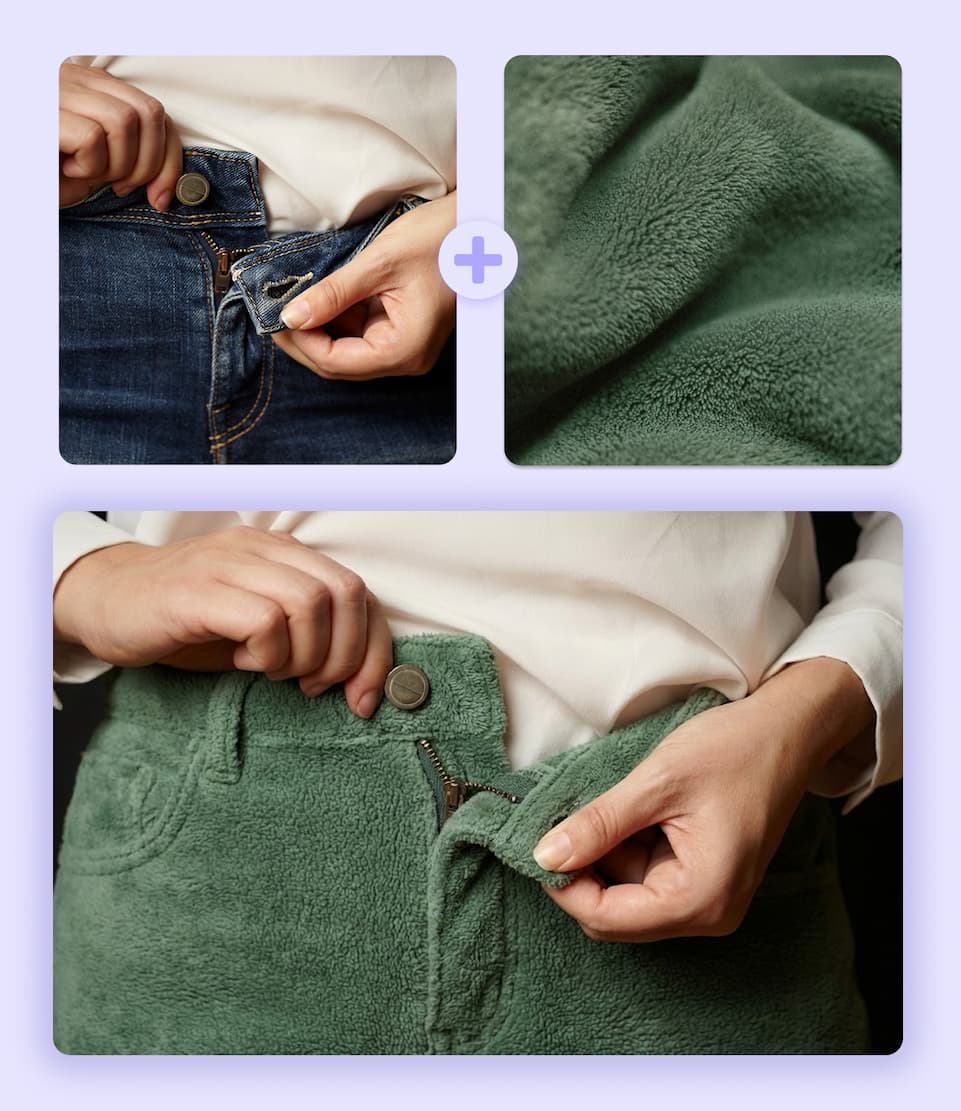
Don't just change color; change material. Turn 'Cotton' into 'Leather' or 'Denim' simply by describing it in your prompt.

Launch Color Magic

Why Choose Our AI to Change Image Color?

We combine generative precision with ease of use.

Prompt-Based Precision

Unlike standard editors, our tool allows you to change colors of image areas using descriptive text. This ensures the AI understands exactly what material and shade you want, offering control that sliders cannot match.

Physically Accurate Lighting

Our model excels at calculating light physics. When you change colors of image objects, the AI respects the original light source, ensuring shadows fall correctly and highlights appear natural on the new color.

Batch Consistency for Pros

We solved the flicker issue common in AI. Our Pro models are engineered to maintain consistent texture and tone across multiple generations, making it safe for commercial product catalogs.

Material Intelligence

The AI knows the difference between silk, denim, and metal. It doesn't just paint a color; it simulates the material properties, giving you a result that looks indistinguishable from a real photograph.

How to Change Colors of an Image

Our AI simplifies the complex editing process into a smooth workflow.

step 1

1. Upload Your Image

Start by uploading the high-quality photo you want to edit. Our secure platform supports common formats like JPG and PNG, preparing your canvas to change colors of image elements immediately.

step 2

2. Select & Describe

Use the precision brush to paint over the object you want to change. Then, type a specific text prompt (e.g., 'Navy Blue Leather') to tell the AI exactly how to transform the color and material.

step 3

3. Download Result

In seconds, the AI will process your request, adjusting lighting and texture to match. Preview your new image and download the high-resolution file ready for use.

Ready to Transform Your Photos?

Cut editing time by 90%. Join thousands of pros who use our tool to change colors of image assets with professional consistency.

Change Image Color Now

Frequently Asked Questions

What is Image2image.ai?

Image2image.ai is a comprehensive AI creative platform specializing in Generative Fill and In-Painting. We enable users to modify images—such as removing objects, extending backgrounds, or changing colors of image elements—using simple text prompts with high photorealism.

    Is it free to change colors of image with this tool?

    Yes, we offer a free version powered by our Lite Model, which is great for quick tests. However, free users face queue times and lower resolution. For Commercial Usage Rights, no queues, and access to High-Quality Pro Models (for superior texture), we recommend upgrading to a paid plan.

      Can I change the color of a specific object only?

      Yes. Use our In-paint brush to mask only the object you want to change (like a shirt or a car). The AI will strictly limit the color change to that area, leaving the background untouched.

        Can I change materials (e.g., cotton to leather)?

        Absolutely. Because our tool uses text prompts, you can describe materials. Typing 'Blue Denim' instead of just 'Blue' instructs the AI to generate the denim texture, making the edit look physically accurate.

          Will the recolored image look fake?

          No. Our AI analyzes the scene's lighting map. When you change colors of image items, it recalculates shadows and specular highlights so the new color interacts naturally with the environment.

            Is this tool suitable for e-commerce?

            Yes, it is highly recommended for e-commerce. You can take one product photo and generate unlimited color variants (SKUs) that look indistinguishable from real photos, saving huge amounts on photography costs.

              What file formats do you support?

              We support all major image formats including JPG, PNG, and WEBP for both upload and download.

                How is this different from Photoshop?

                Photoshop requires manual selection, layer masking, and blending skills. Image2image.ai allows you to change colors of image parts simply by typing a word. It is significantly faster and requires no design expertise.