点击或拖拽
用简单的文本指令清理照片并移除不需要的物品
厌倦了抢镜的路人或破坏完美画面的杂物?我们的 AI 物品移除工具允许您只需用文字描述,即可将不需要的元素从照片中智能擦除。
适用各种场景,打造完美照片
Six powerful ways to clean up your images
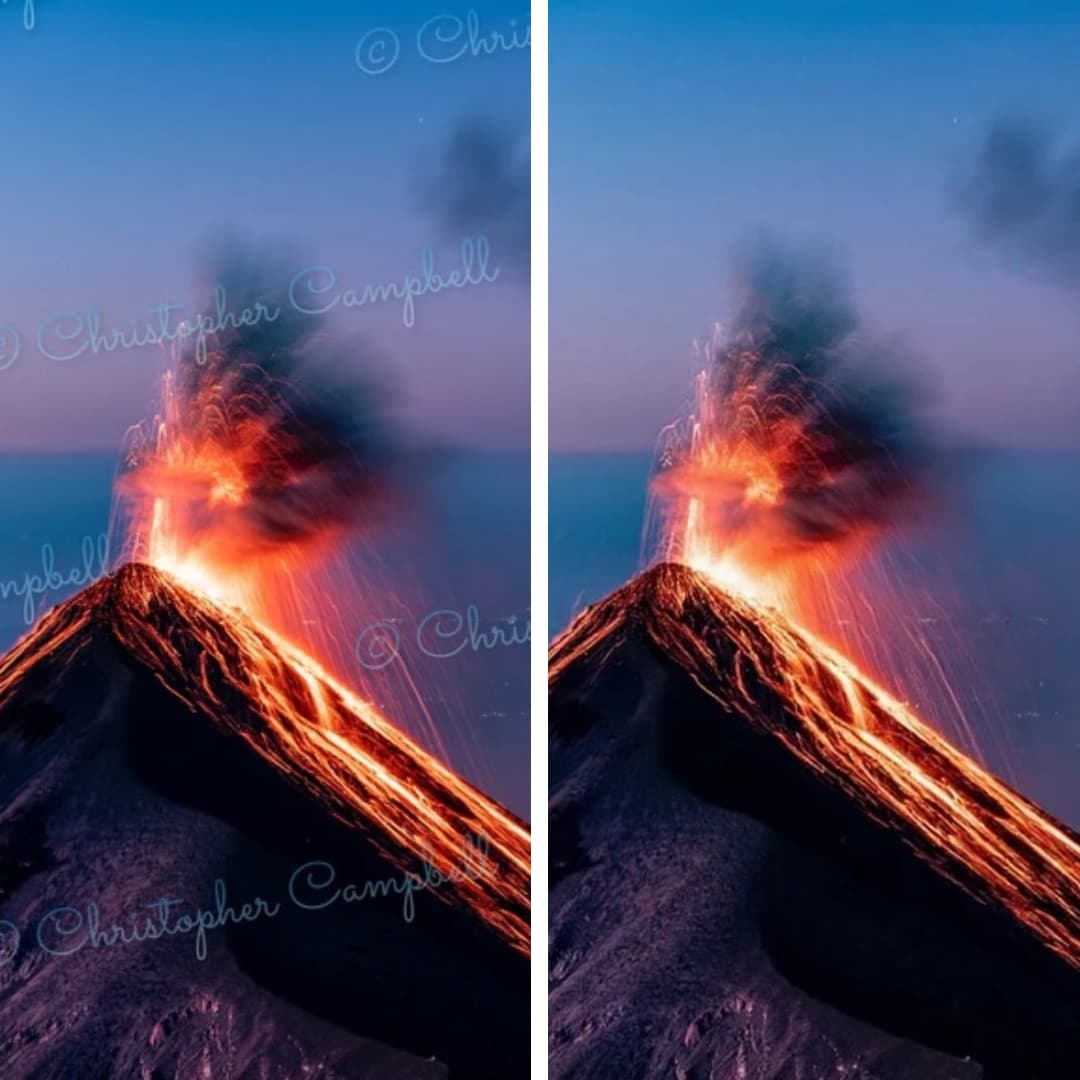
Remove Watermark from Photo
Restore your images to their original state. Seamlessly removes any watermark and reconstructs background details.
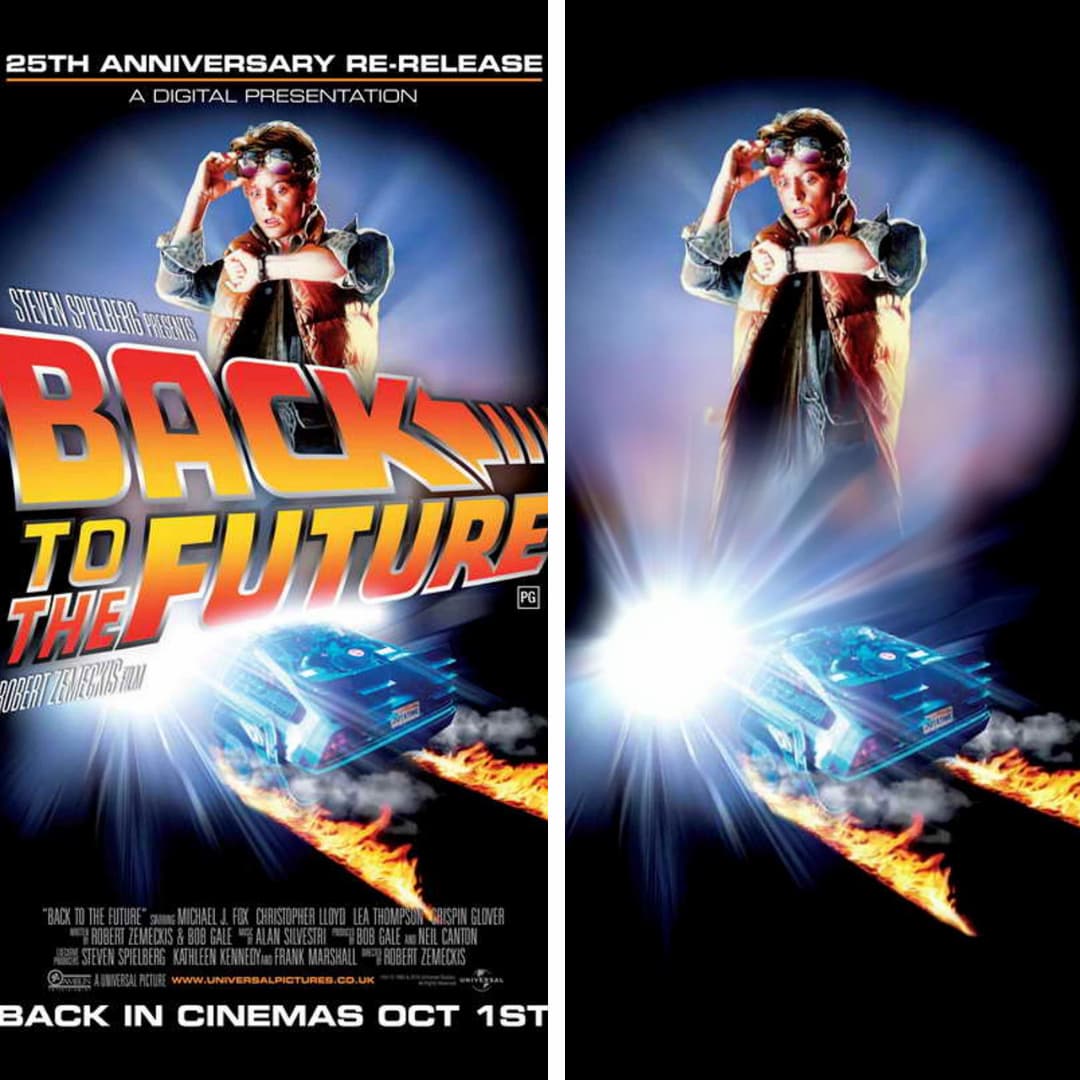
Remove Text from Image
Easily erase unwanted captions, dates, logos, or any other text from your images. Perfect for clean visuals.
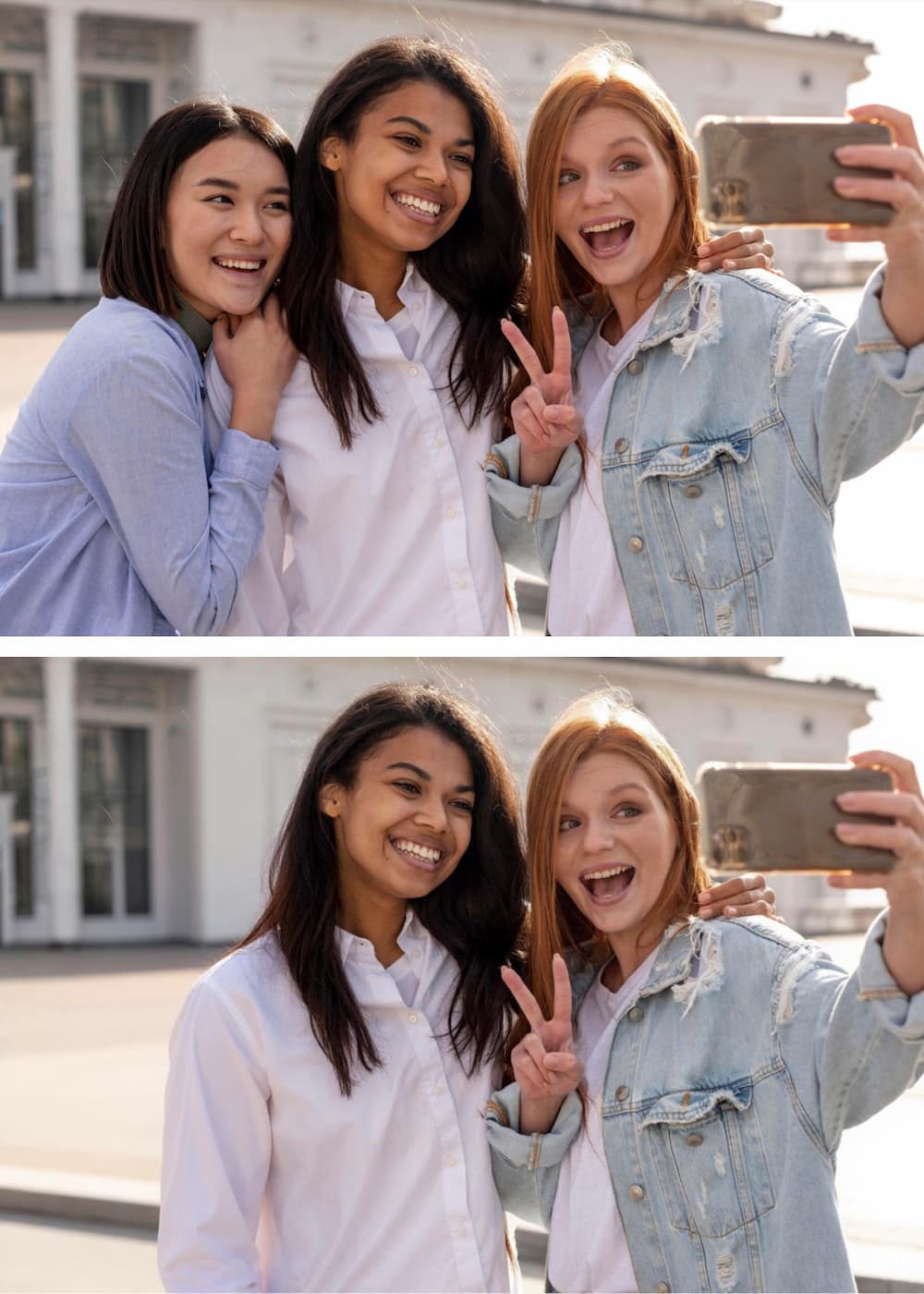
Remove Person from Photo
Get the perfect shot by removing unwanted people. Our AI fills in the background so accurately, it looks like they were never there.
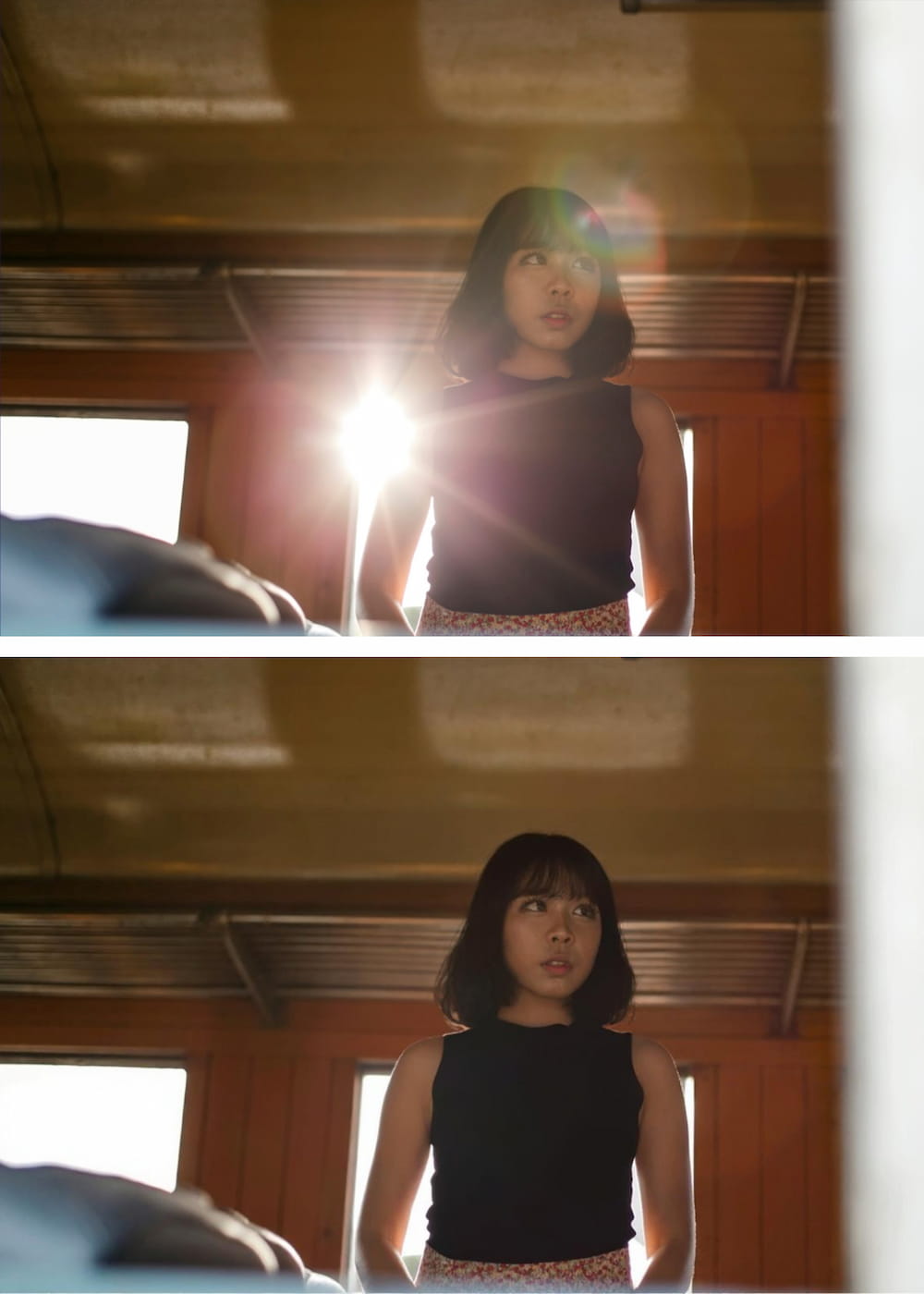
Remove Glare from Photo
Fix photos affected by harsh lighting. Digitally remove or reduce distracting light glares and reflections from glass or metal.
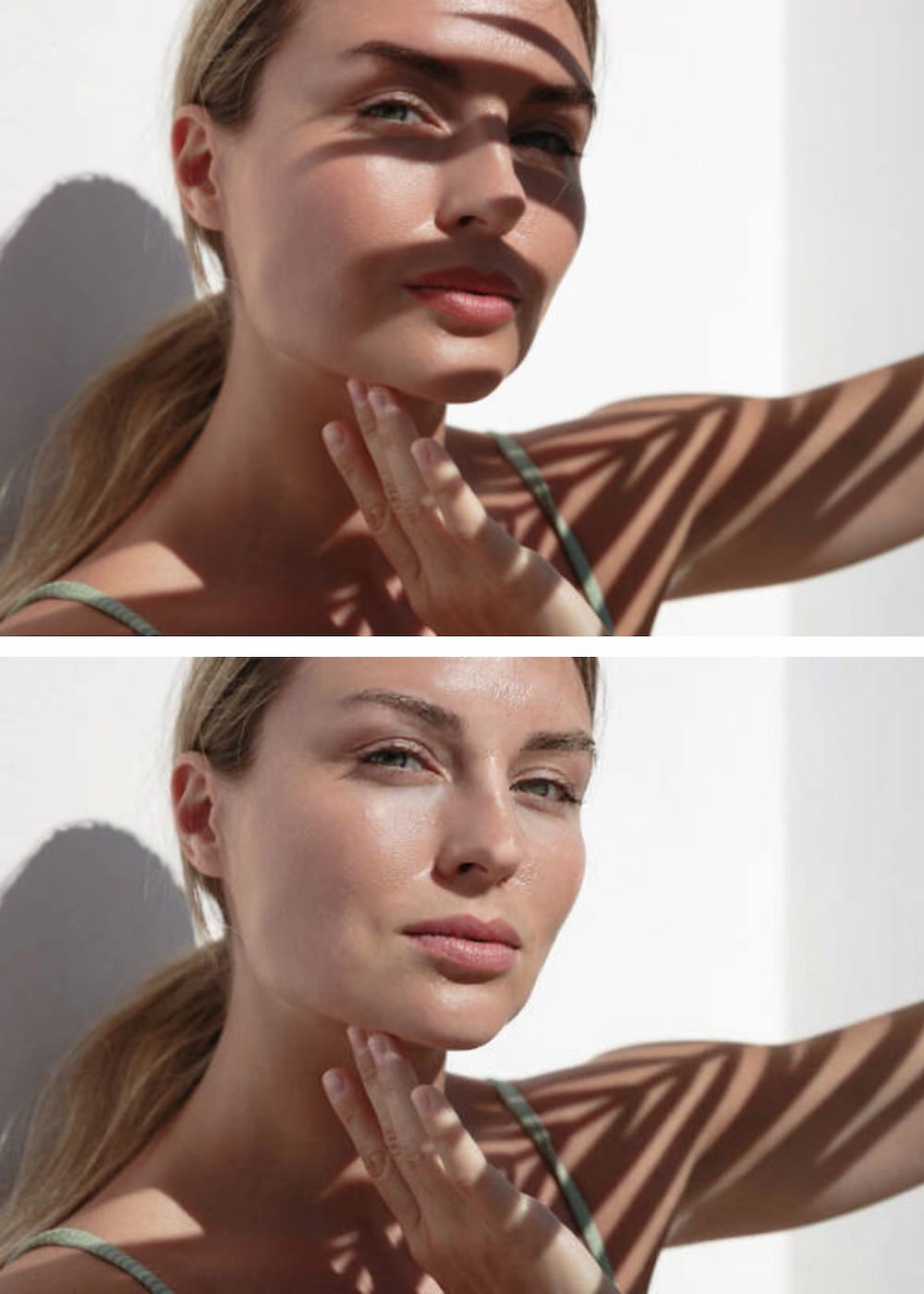
Remove Shadow from Photo
Correct unflattering or distracting shadows from subjects or backgrounds. AI analyzes lighting for a balanced, natural look.
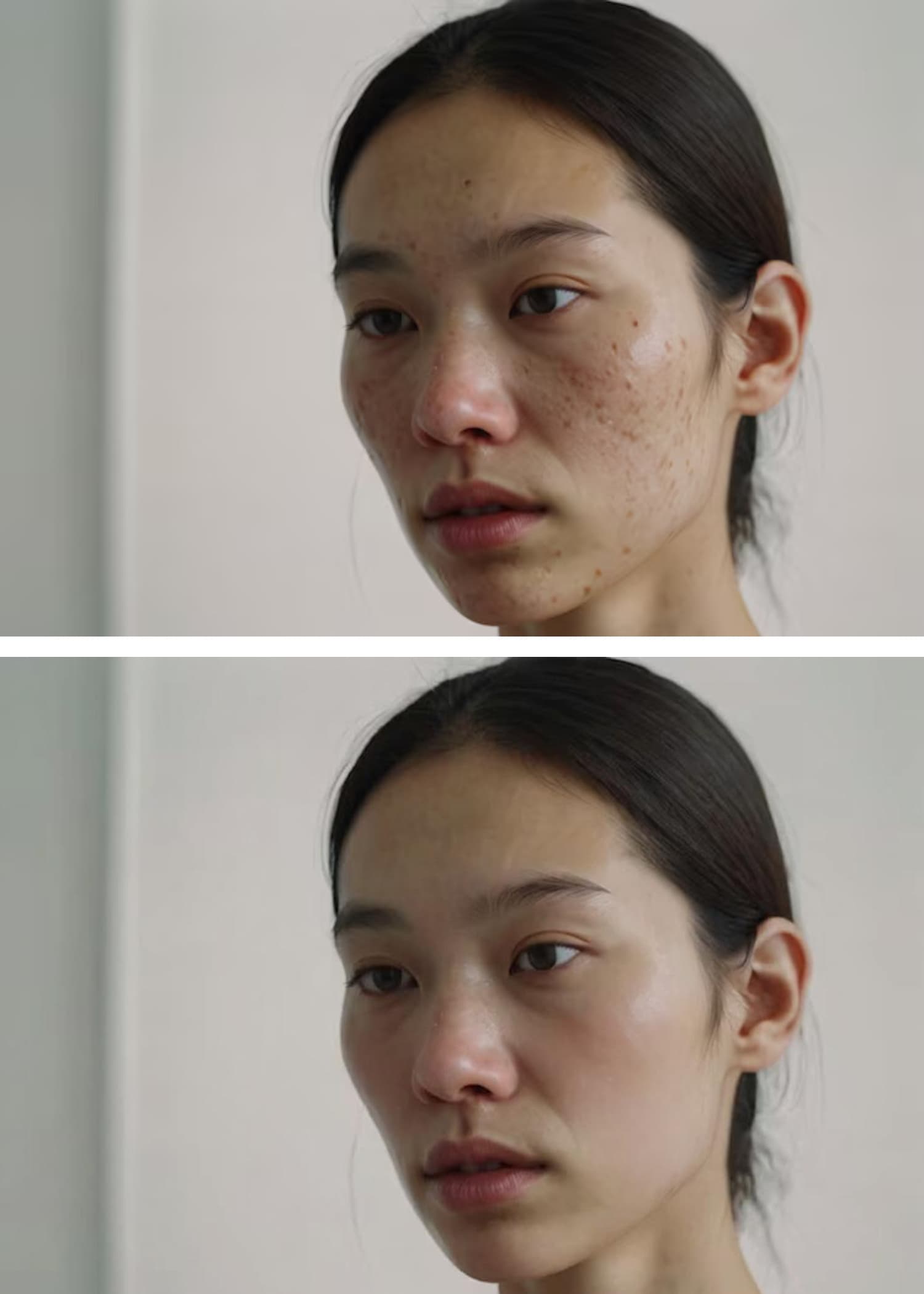
AI Blemish Remover
Achieve flawless skin in portraits. Instantly clears away acne, pimples, and skin imperfections for a smooth, professional finish.
快速入门操作指南

上传您的照片
点击“上传图像”按钮,选择您需要编辑的图片。我们的 AI 物品移除工具支持所有主流图片格式,包括 JPG、PNG 和 WEBP。

描述需要移除的物品
在文本框中,只需输入对您想要擦除的物体的清晰描述。我们的 AI 专为理解自然语言而设计。<br><br><strong>例如:</strong> 无需使用画笔小心翼翼地涂抹人物,只需输入“穿红夹克的人”。<br><strong>或者要去除杂物:</strong> 输入“人行道上的垃圾桶”。
点击“移除”并下载
点击“移除”按钮,见证我们的 AI 精准识别并擦除指定物体,同时完美重构并自然填充背景。下载您的高清无暇完美图像。
为什么选择我们?文本驱动的绝对优势
| 特性 | 我们的 AI 物品移除工具 | 传统修图软件 |
|---|---|---|
| 操作方法 | 极简的文本提示 输入“蓝色的车”即可将其移除。直观且高效。 | 手动涂抹 需要您使用鼠标或手指在物体上繁琐地“涂抹”覆盖。 |
| 精准度 | AI 智能识别 AI 根据您的描述精准选中对象,避免人为失误。 | 手抖 / 人为错误 很容易不小心涂抹到您想要保留的部分,或者漏掉物体的某些边缘。 |
| 学习成本 | 零门槛 只要会打字,就会使用我们的工具。就这么简单。 | 门槛高 学习在 Photoshop 等软件中使用仿制图章、修复画笔和图层需要大量练习。 |
| 底层技术 | 先进的生成式 AI 深刻理解上下文和物体结构,创造无缝、极其逼真的背景填充。 | 基础的克隆/涂抹工具 通常会导致模糊的斑块或重复的图案,看起来非常不自然。 |
输入“蓝色的车”即可将其移除。直观且高效。
需要您使用鼠标或手指在物体上繁琐地“涂抹”覆盖。
AI 根据您的描述精准选中对象,避免人为失误。
很容易不小心涂抹到您想要保留的部分,或者漏掉物体的某些边缘。
只要会打字,就会使用我们的工具。就这么简单。
学习在 Photoshop 等软件中使用仿制图章、修复画笔和图层需要大量练习。
深刻理解上下文和物体结构,创造无缝、极其逼真的背景填充。
通常会导致模糊的斑块或重复的图案,看起来非常不自然。
获取最佳移除效果的修图技巧
Be Specific and Descriptive
The more detail you provide, the better the AI identifies the correct object. Try 'remove the man in the blue hat' instead of just 'remove the man'.
Use Colors, Shapes, and Textures
Help the AI lock onto your target by including visual characteristics. Example: 'erase the round, wooden table' or 'remove the yellow flower'.
Describe the Position
If there are multiple similar objects, specify the location. Example: 'remove the bird on the left' or 'delete the car in the background'.
Remove One Object at a Time
For the cleanest results, focus on a single object per command. Run multiple commands sequentially for complex edits.
Rephrase If Needed
If the first result isn't perfect, try describing the object differently. The AI may understand an alternative description better.
Use Visual Cues
You can also use visual cues to guide the model to focus on particular regions for targeted changes.
常见问题解答 (FAQ)
Everything you need to know before removing your first object
Explore More AI Tools
Powerful image utilities that work seamlessly together
AI Image Generator
Create stunning images from text descriptions alone.
AI Photo Editor
Edit, retouch, and enhance existing photos with AI precision.
AI Image Enhancer
Boost clarity, color, and detail in low-quality images.
Background Remover
Instantly isolate subjects with transparent or solid backgrounds.
AI Headshot Generator
Create professional headshots from casual photos in seconds.
Image to Video AI
Bring your static images to life with AI-powered motion.