Clique ou arraste
Limpe suas fotos com um simples comando de texto
Cansado de intrusos e objetos distrativos arruinando sua foto perfeita? Nosso Removedor de Objetos com IA permite apagar elementos indesejados de suas fotos apenas descrevendo-os.
Perfeccione Suas Fotos para Qualquer Ocasião
Six powerful ways to clean up your images
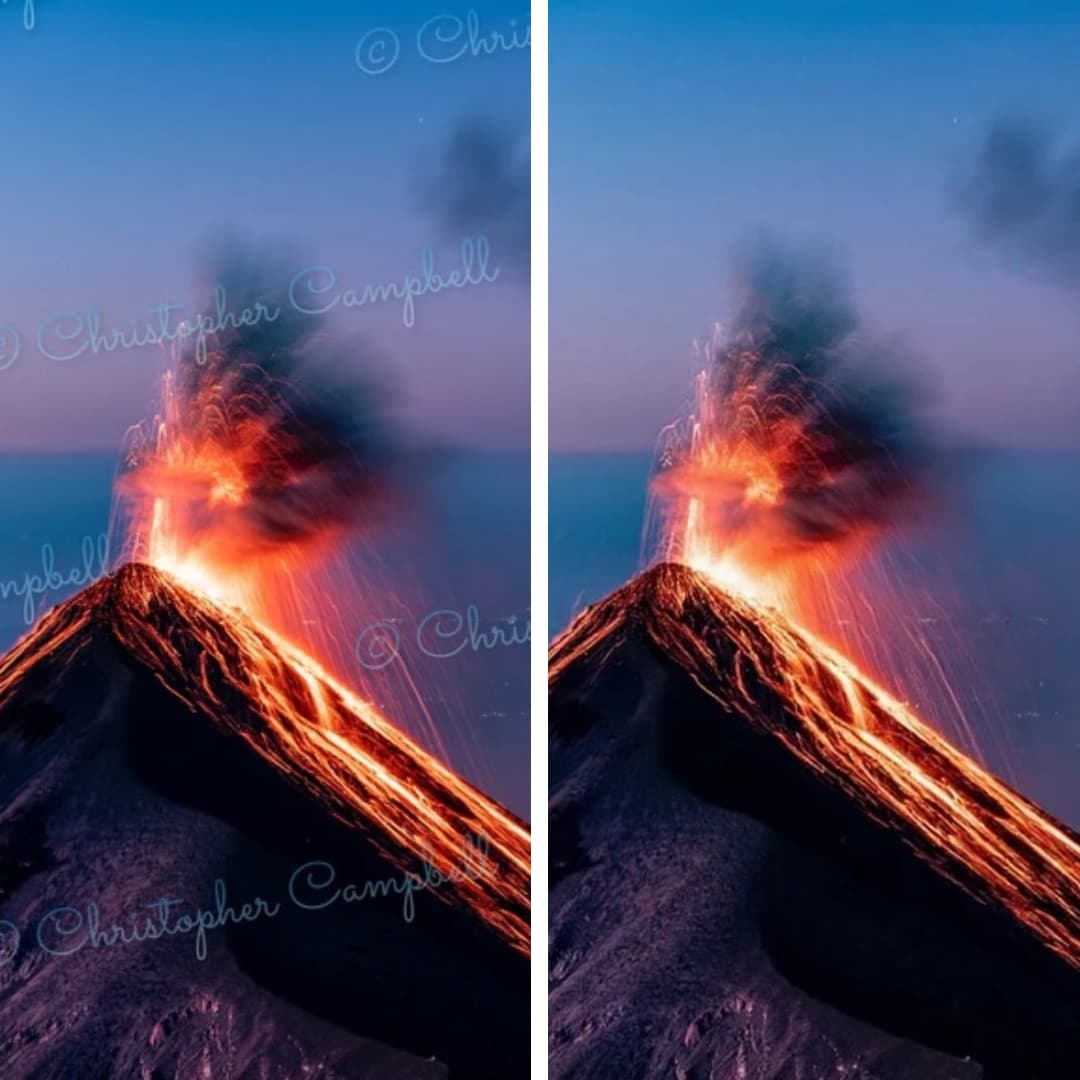
Remove Watermark from Photo
Restore your images to their original state. Seamlessly removes any watermark and reconstructs background details.

Remove Text from Image
Easily erase unwanted captions, dates, logos, or any other text from your images. Perfect for clean visuals.
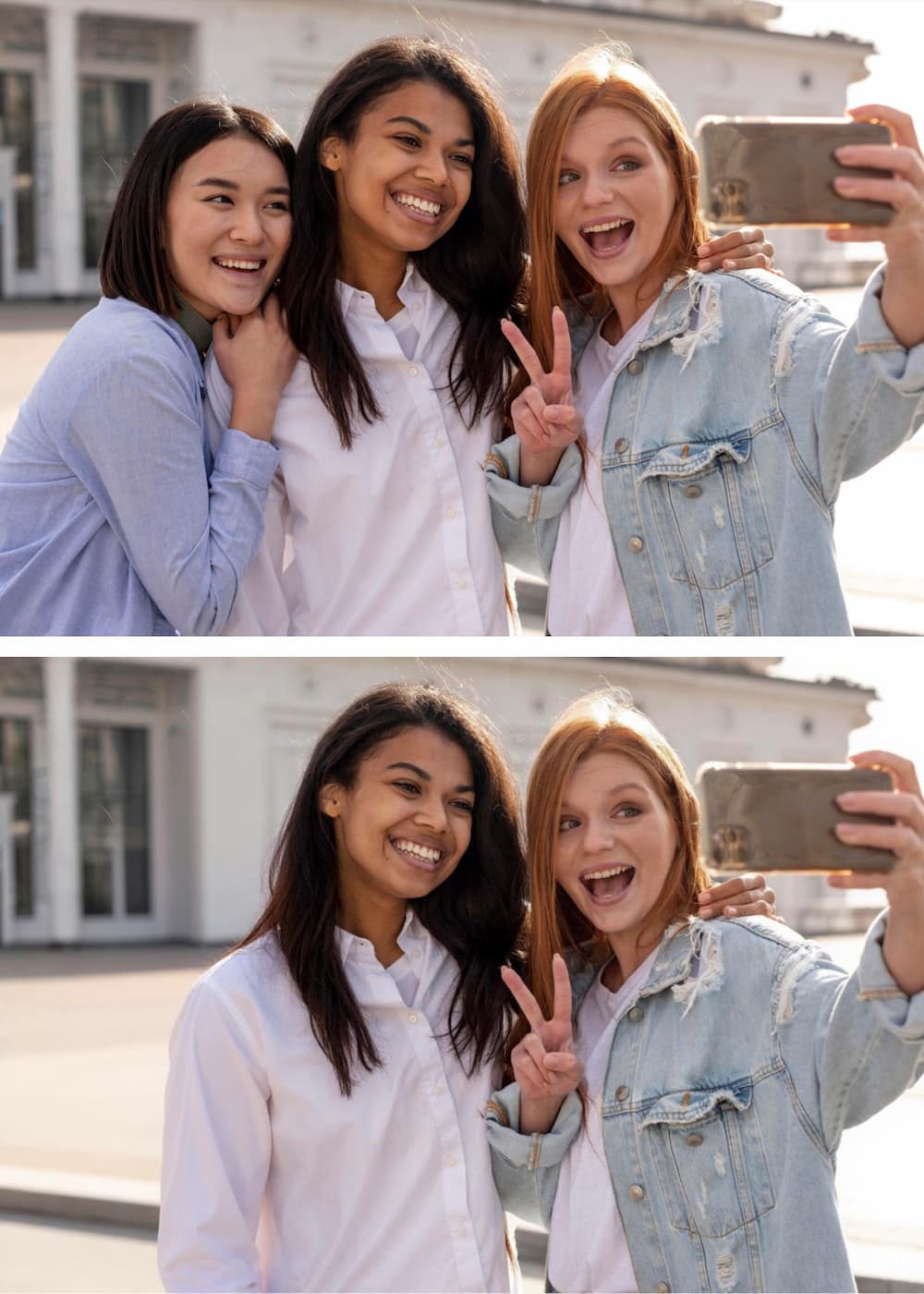
Remove Person from Photo
Get the perfect shot by removing unwanted people. Our AI fills in the background so accurately, it looks like they were never there.
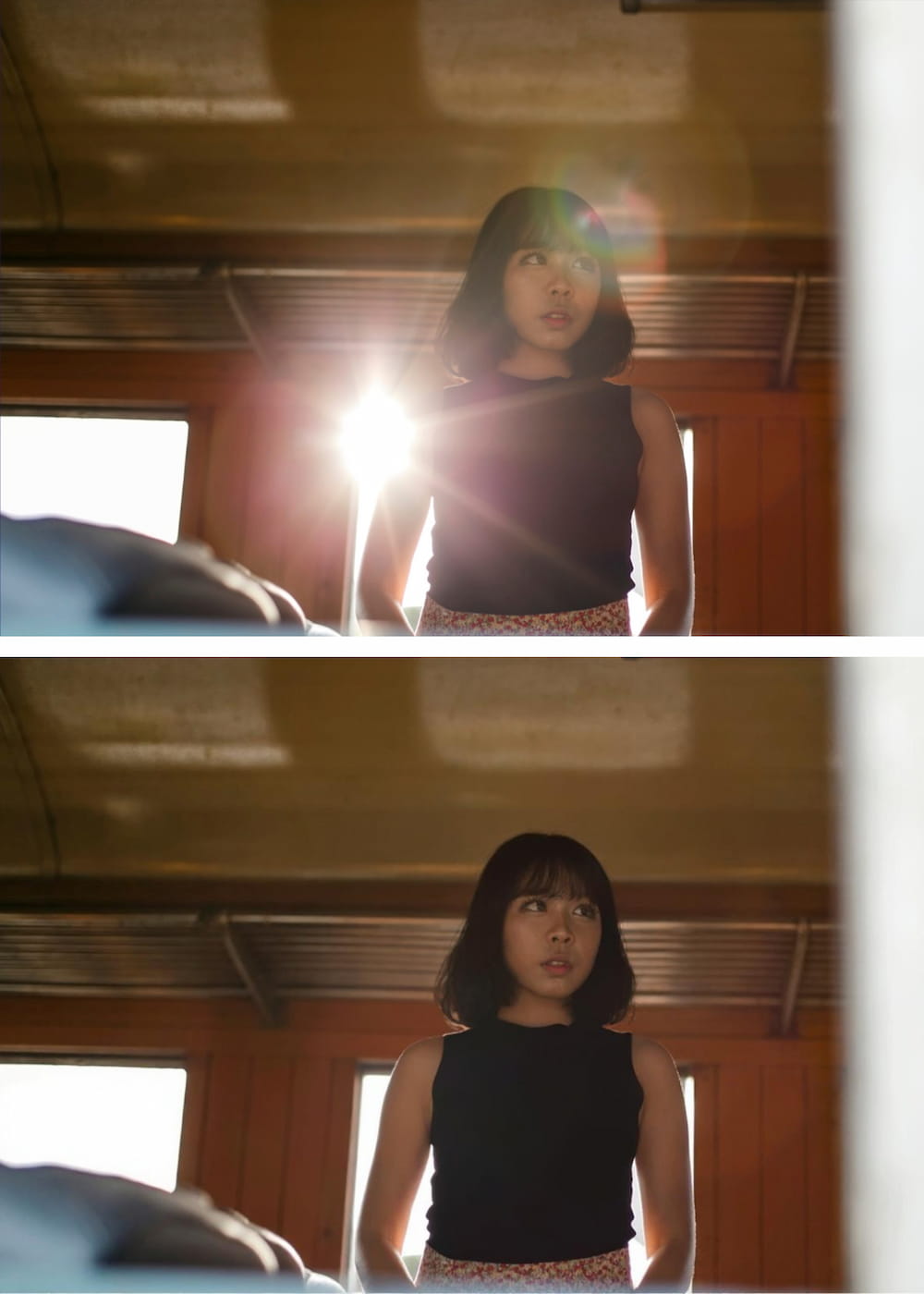
Remove Glare from Photo
Fix photos affected by harsh lighting. Digitally remove or reduce distracting light glares and reflections from glass or metal.
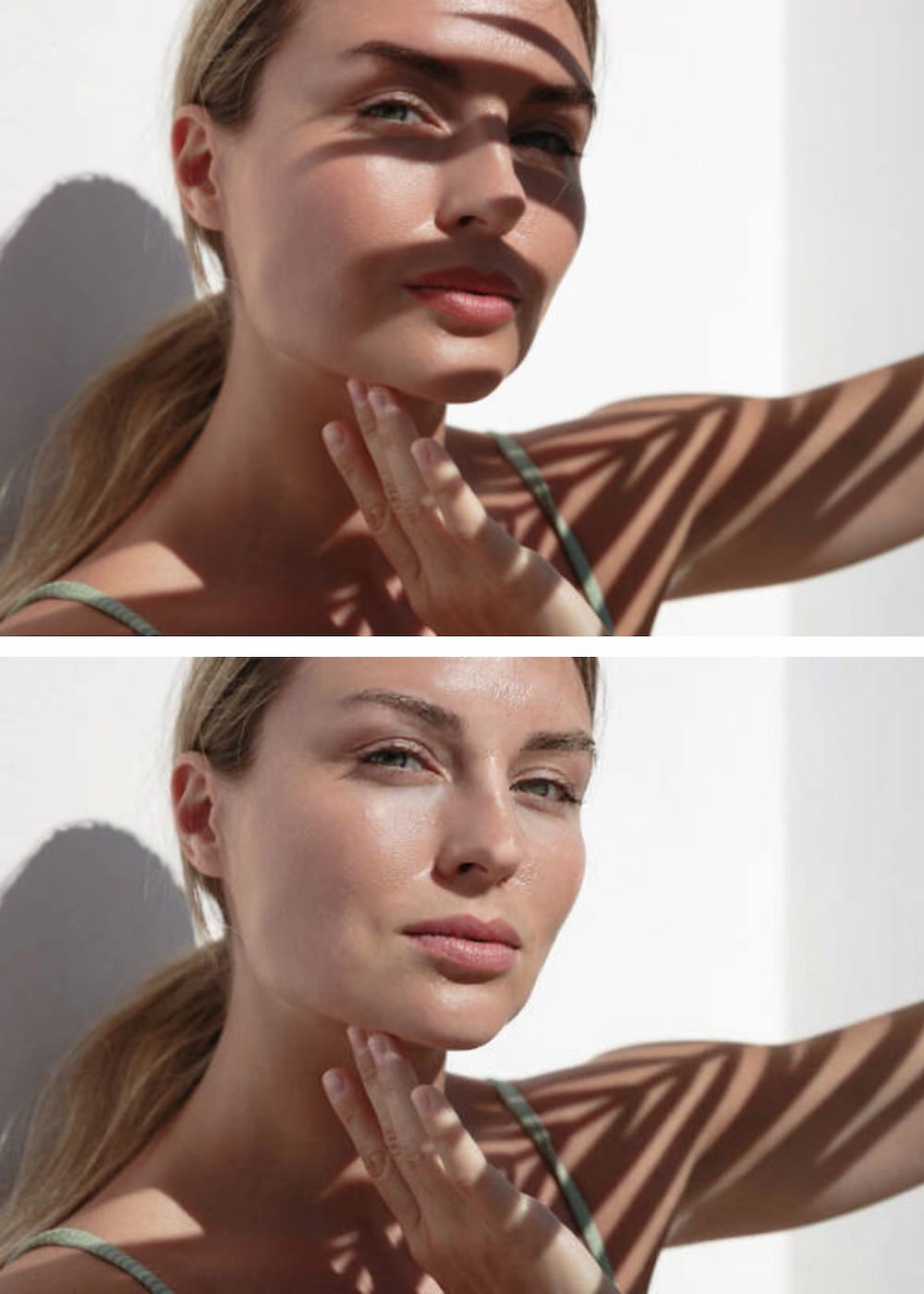
Remove Shadow from Photo
Correct unflattering or distracting shadows from subjects or backgrounds. AI analyzes lighting for a balanced, natural look.
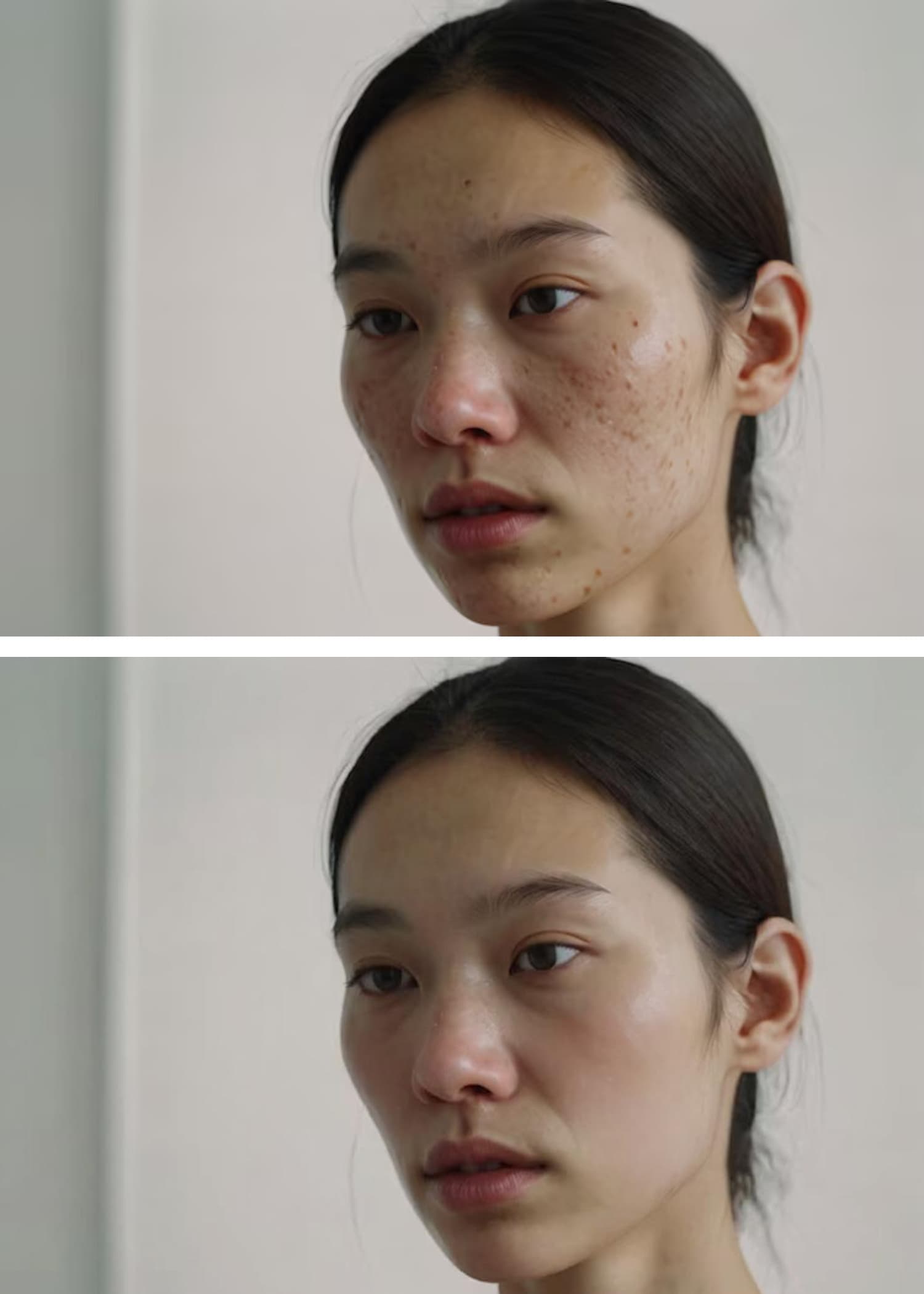
AI Blemish Remover
Achieve flawless skin in portraits. Instantly clears away acne, pimples, and skin imperfections for a smooth, professional finish.
Guia de Ação Rápida

Envie Sua Foto
Clique no botão "Enviar Imagem" e selecione a foto que deseja editar. Nosso Removedor de Objetos por IA aceita todos os formatos principais, incluindo JPG, PNG e WEBP.

Descreva o Objeto a Ser Removido
Na caixa de texto, simplesmente digite uma descrição clara do objeto que deseja apagar. Nossa IA foi projetada para entender linguagem natural.<br><br><strong>Por exemplo:</strong> Em vez de traçar cuidadosamente uma pessoa, basta digitar "pessoa com jaqueta vermelha".<br><strong>Ou para um objeto distrativo:</strong> Digite "lixeira na calçada".
Clique em 'Remover' e Baixe
Pressione o botão "Remover" e veja nossa IA identificar e apagar precisamente o objeto especificado, reconstruindo perfeitamente o fundo atrás dele. Baixe sua imagem aperfeiçoada em alta resolução.
Por Que Nos Escolher? A Vantagem Baseada em Texto
| Recurso | Nosso Removedor de Objetos por IA | Editores Tradicionais |
|---|---|---|
| Método | Prompts de Texto Simples Digite "o carro azul" para removê-lo. Intuitivo e rápido. | Pintura Manual Exige que você "pinte" tediosamente sobre um objeto com seu mouse ou dedo. |
| Precisão | Identificação por IA A IA seleciona precisamente o objeto baseado em sua descrição, evitando erros. | Mão Instável / Erro do Usuário É fácil pintar acidentalmente partes da foto que você quer manter, ou perder partes do objeto. |
| Curva de Aprendizado | Nenhuma Se você sabe digitar, pode usar nossa ferramenta. É simples assim. | Íngreme Aprender a usar carimbos de clonagem, pincéis de cura e camadas em softwares como Photoshop requer prática. |
| Tecnologia | IA Generativa Avançada Entende contexto e objetos para criar um fundo realista e sem costuras. | Ferramentas Básicas de Clonar/Manchar Frequentemente resulta em manchas borradas ou padrões repetitivos que parecem artificiais. |
Digite "o carro azul" para removê-lo. Intuitivo e rápido.
Exige que você "pinte" tediosamente sobre um objeto com seu mouse ou dedo.
A IA seleciona precisamente o objeto baseado em sua descrição, evitando erros.
É fácil pintar acidentalmente partes da foto que você quer manter, ou perder partes do objeto.
Se você sabe digitar, pode usar nossa ferramenta. É simples assim.
Aprender a usar carimbos de clonagem, pincéis de cura e camadas em softwares como Photoshop requer prática.
Entende contexto e objetos para criar um fundo realista e sem costuras.
Frequentemente resulta em manchas borradas ou padrões repetitivos que parecem artificiais.
Dicas para Obter os Melhores Resultados
Be Specific and Descriptive
The more detail you provide, the better the AI identifies the correct object. Try 'remove the man in the blue hat' instead of just 'remove the man'.
Use Colors, Shapes, and Textures
Help the AI lock onto your target by including visual characteristics. Example: 'erase the round, wooden table' or 'remove the yellow flower'.
Describe the Position
If there are multiple similar objects, specify the location. Example: 'remove the bird on the left' or 'delete the car in the background'.
Remove One Object at a Time
For the cleanest results, focus on a single object per command. Run multiple commands sequentially for complex edits.
Rephrase If Needed
If the first result isn't perfect, try describing the object differently. The AI may understand an alternative description better.
Use Visual Cues
You can also use visual cues to guide the model to focus on particular regions for targeted changes.
Perguntas Frequentes (FAQ)
Everything you need to know before removing your first object
Explore More AI Tools
Powerful image utilities that work seamlessly together
AI Image Generator
Create stunning images from text descriptions alone.
AI Photo Editor
Edit, retouch, and enhance existing photos with AI precision.
AI Image Enhancer
Boost clarity, color, and detail in low-quality images.
Background Remover
Instantly isolate subjects with transparent or solid backgrounds.
AI Headshot Generator
Create professional headshots from casual photos in seconds.
Image to Video AI
Bring your static images to life with AI-powered motion.